
All
Why Freecell Card Game Is a Favorite Among Logic-Loving Players


We live in an age of constant connectivity, yet we often struggle to find truly satisfying mental engagement. Many seek out complex brain training apps or high-octane competitive games, but the solution to a sharper mind might be a deceptively simple classic: the Freecell card game. Its appeal isn’t just nostalgia; it’s a masterclass in cognitive clarity.
The enduring popularity of Freecell stems from one core, revolutionary idea: total control. Where other solitaire games leave crucial cards hidden or rely on a lucky draw from a stock pile, the Freecell card game lays all 52 cards face-up at the start. This eliminates the element of chance, transforming the game from a gamble into a finely tuned engineering problem. Every defeat is a planning error; every victory is a testament to superior logic.
For those who crave intellectual mastery and systematic thinking, Freecell provides the perfect low-stakes laboratory. As we delve into the structure and mechanics of the Freecell game, you’ll discover why its strategic depth makes it a favorite among logic-loving players and an unparalleled tool for enhancing real-world skills like foresight, resource management, and sustained concentration.
The Freecell Revelation: From Card Game to Logic Puzzle
To understand the Freecell card game’s unique power, you first have to grasp its fundamental difference from its more famous cousin, Klondike. Klondike is shrouded in mystery: cards are face down, and you have a stockpile to draw from. Freecell, by contrast, lays all its cards on the table. Every single card in the 52-card deck is dealt face-up into eight tableau columns from the very start.
This single design choice (total transparency) is the ‘revelation’ that transforms the Freecell card game from a game of chance into a near-pure game of skill. When every piece of information is available, the challenge shifts entirely from hoping for the right card to appear, to figuring out the optimal sequence of moves. The game essentially becomes a high-stakes logic puzzle, played with Kings, Queens, and Aces.
The second key element is the eponymous Free Cells: four temporary storage spaces located at the top of the board. These cells are your tactical lifeline, allowing you to temporarily stash a single card that is blocking a crucial sequence or card deeper in the tableau. They act as limited-use “undo” buttons, or more accurately, strategic placeholders. The number of open Free Cells directly determines how large a stack of cards (or a “supermove”) you can relocate at one time. Mastering their use is the core challenge and the key to unlocking the true strategic nature of the Freecell card game.
Unlike Klondike, where many deals are simply unwinnable due to a combination of hidden cards and poor luck, the vast majority of Freecell deals (it is estimated that over 99.999% of the standard Microsoft-numbered deals are solvable) can be won with perfect play. If you lose, it’s not because the game was rigged; it’s because you missed a critical sequence or mismanaged your precious resources. That 100% accountability is what drives the deep satisfaction and, crucially, the measurable cognitive benefits of the Freecell card game.
The Cognitive Toolkit: How the Freecell Card Game Sharps Your Mind
The human brain is like a muscle: it needs regular, varied exercise to remain flexible and strong. The Freecell card game, particularly in an accessible format like the one provided by modern online platforms, offers a low-pressure, high-value routine for keeping your cognitive functions in top shape.
1. Strategic Thinking and Long-Term Planning
The most significant brain benefit derived from the Freecell card game is the enhancement of executive function (the set of cognitive processes necessary for controlling one’s behavior, including planning and problem-solving).
Because all cards are visible, a successful player cannot simply react to the last move; they must plan several steps ahead. The initial glance at a Freecell board is a moment of deep analysis. You are looking for:
- The Bottlenecks: Which low-value cards (Aces and Deuces) are buried beneath long stacks of high-value cards? These must be your first priority to free up.
- The Chains of Opportunity: Where can you establish a long, sequential, alternating-color sequence that frees up a significant number of cards at once?
- The Empty Column Goal: An empty tableau column is exponentially more valuable than a Free Cell, as it can temporarily hold an entire stack of cards, not just one. The moment an empty column is achieved, your strategic options multiply dramatically.
This requirement to pre-visualize the game state (to calculate the implications of moving a King to an empty column, or using a Free Cell to temporarily hold a seven) is a direct workout for the parts of the brain responsible for foresight and sequential planning. This skill is directly transferable to real-life scenarios, from project management at work to complex logistical planning at home. This is the enduring value of the Freecell card game.
2. Focus and Sustained Concentration
In an era of endless notifications and fragmented attention spans, the need to cultivate sustained concentration is more vital than ever. The Freecell card game demands it.
The game forces you into a state of flow, where your attention is entirely absorbed by the task. The rules are simple, but the tactical choices are complex. As the board evolves, you must constantly re-evaluate the status of all 52 cards. You must remember which cards are blocking what, which cards you need next for the foundation piles, and how many moves are left before you absolutely must clear a Free Cell.
This mental discipline of focusing on a detailed, single objective for an extended period acts as a form of active meditation. It trains the brain to tune out noise and maintain attention, a valuable ability for anyone looking to improve productivity, study habits, or simply reduce daily stress by finding a calm, focused mental space. This makes the Freecell card game an invaluable tool for modern mental wellness.
3. Memory, Recognition, and Cognitive Flexibility
The Freecell card game is a subtle exercise in memory and pattern recognition. While you don’t need to remember hidden cards, you absolutely must remember:
- The Blocked Cards: Knowing which Ace is stuck at the bottom of which column is critical for sequencing your moves.
- The Necessary Targets: Which card (say, the Red 5) do you need to free up the Black 6, and where is it currently located?
- Past Failures (and Successes): The unlimited undo feature found on many online platforms is a powerful learning tool. It allows for risk-free experimentation, enabling you to recognize a flawed path and immediately pivot your strategy. This process of real-time correction and adaptation is the very definition of cognitive flexibility.
The consistent application of these skills (planning, focusing, and adapting) is exactly what researchers have found to be key in maintaining cognitive vitality and potentially mitigating the risks associated with age-related decline. When you play a Freecell card game, you’re not just chasing a win; you’re engaging in a fun, preventative mental health practice.
The Power of Online Accessibility: The Modern Freecell Card Game
While the strategic brilliance of Freecell is an ancient concept, its resurgence as a daily ritual is entirely due to the seamless experience offered by dedicated online platforms. These sites exemplify how modern design elevates the classic Freecell card game.
The Zero-Barrier Experience
In today’s crowded digital landscape, simplicity wins. High-quality online platforms eliminate the clutter and complexity often associated with app-based games. You don’t need to download anything; you don’t need a high-end gaming rig. You simply navigate to a dedicated Freecell card game URL, and the game is instantly ready. This “zero-barrier” entry is crucial because it allows the mental workout to be integrated effortlessly into your day: a quick round during a coffee break, a focused session while waiting for a meeting to start, or a relaxing game before bed.
Features That Support Skill Building
A well-designed online Freecell card game experience does more than just show you the cards; it provides tools that enhance your ability to learn and strategize:
- The Unlimited Undo: This feature is not a cheat; it’s an advanced learning mechanism. It allows a player to execute a long, complex sequence of moves, identify the point of failure (the moment all four Free Cells are blocked), and then instantly reverse course to try a new approach. It converts a game-ending mistake into a priceless learning opportunity, reinforcing good habits and strategic foresight without the frustration of restarting.
- Hints and Highlights: For beginners, the ability of the interface to highlight possible moves is a gentle form of scaffolding. It guides the player’s eye to the areas of opportunity, subtly teaching the optimal sequence logic. Over time, the player relies on it less and less, a tangible measure of their improving skill.
- Detailed Statistics Tracking: The ability to track personal bests, total wins, and perhaps even move efficiency (as is common on high-quality platforms) transforms the solitary experience into a personal competition. You are competing against your past self, constantly striving to reduce your move count or increase your win streak. This quantifiable progress is highly motivating and reinforces the link between strategic play and positive outcomes of the Freecell card game.
The King-Maker Insight: Prioritizing Empty Columns
The ultimate test of a Freecell card game master lies in their understanding of the empty column. While a Free Cell holds only one card, an empty column dramatically increases the length of the “supermove” (the sequence of cards you can shift from one stack to another).
A novice player will often dump cards into the Free Cells as soon as they become available. The expert, however, treats them as a precious, limited resource, prioritizing the creation of a totally empty tableau column instead. The true “King-Maker” move is to use an empty column to store a fully-sorted, descending run of cards (a King, Queen, Jack, etc.) that can then be moved en masse to the foundations when the time is right.
This tactical difference is a profound lesson in resource management: valuing the most flexible, powerful resource (the empty column) over the easily-used, temporary resource (the free cell). It is an original insight often taught by Freecell card game professionals, and it’s the kind of strategic depth that rewards deep engagement.
The Enduring Appeal and The Daily Ritual
In a world saturated with digital noise, the Freecell card game, especially in its polished online form, stands out as a calming, challenging, and profoundly rewarding activity. It’s a mental palate cleanser (a way to switch your brain from passive scrolling to active analysis).
The magic of Freecell is that it’s accessible to all ages and experience levels. A child can learn the basic rules in minutes, but a lifetime of play can be spent mastering the subtle strategies. By simply accessing a high-quality online version, you gain instant access to this timeless mental exercise.
It is a Freecell card game where patience is rewarded, where every move is an investment, and where victory is a direct result of clear-headed planning. Whether you’re aiming to fend off cognitive decline, sharpen your problem-solving skills, or simply find a healthy, engaging way to de-stress, the Freecell card game is the perfect digital companion. Stop scrolling, start strategizing, and discover the satisfying blend of fun and true skill-building that awaits you.

KMS Pico – Practical Guidance for Activation, Setup, and Use
What Is KMS Pico?
KMS Pico is a lightweight activation utility that mimics a Key Management Service (KMS) server on a local machine. By emulating the Microsoft KMS protocol, it can activate Windows and Office products without requiring a connection to Microsoft’s cloud servers. The tool is often used in environments where internet access is limited, or where administrators need a quick way to validate multiple installations. While the core technology is straightforward, understanding its limitations and legal context is essential before deployment.
From a technical perspective, KMS Pico runs a small background service that responds to activation requests from the operating system. The service presents a virtual KMS host address, allowing Windows or Office to think it has communicated with an official server. Because the process happens locally, activation is typically fast—often completing in under a minute. Users should still verify that their software versions are compatible with the KMS protocol used by the utility.
Who Should Use KMS Pico?
The primary audience for KMS Pico includes IT professionals managing small‑to‑medium workstations, independent consultants, and power users who need a quick activation method for test environments. It can be especially helpful for developers who frequently reinstall Windows or Office on virtual machines during testing cycles. Small businesses with limited licensing budgets may also explore the tool, but they must weigh compliance risks against cost savings.
Enterprise‑level organizations typically rely on official volume licensing agreements and dedicated KMS servers, so KMS Pico is less common in those settings. For home users who have legitimate product keys but encounter activation glitches, the utility can serve as a troubleshooting aid. Regardless of the audience, anyone considering KMS Pico should first confirm that their use case aligns with Microsoft’s licensing policies.
Core Features and How They Work
KMS Pico bundles several functional components that make activation relatively painless. The most notable features include automatic detection of installed Microsoft products, a simple graphical dashboard for monitoring activation status, and the ability to set a custom KMS host address if needed. The tool also supports batch activation, allowing multiple machines on the same network to be activated with a single click.
Below is a quick comparison of KMS Pico’s key capabilities against a typical on‑premises KMS server and manual phone activation:
| Feature | KMS Pico | On‑Premises KMS Server | Phone Activation |
|---|---|---|---|
| Setup Time | Minutes | Hours to days | 15‑30 minutes |
| Network Requirement | None (local) | Active LAN/WAN | Internet or phone line |
| Batch Activation | Supported | Supported | Not supported |
| Cost | Free (open‑source) | License‑based | Included with product |
| Compliance Monitoring | Basic logs | Comprehensive reporting | None |
Benefits for Individuals and Small Businesses
For users who need a rapid activation workflow, KMS Pico eliminates the delay associated with contacting external servers. This can translate into higher productivity, especially when setting up multiple test machines or temporary workstations. The utility’s lightweight footprint means it does not consume significant system resources, preserving performance for core business applications.
Another advantage is the flexibility to operate offline, which is valuable in secure environments where internet traffic is tightly controlled. By providing a local activation point, organizations can reduce dependence on external services and keep licensing data within their own network perimeter. While the tool does not replace a full volume‑licensing solution, it offers a pragmatic bridge for short‑term or low‑scale scenarios.
Step‑by‑Step Setup Guide
Following a clear, repeatable process helps avoid common pitfalls during installation. Below is an ordered checklist you can copy into a notebook or task manager.
- Download the latest release from the official ms office activator page.
- Extract the ZIP archive to a folder with administrative privileges (e.g., C:\KMSPico).
- Right‑click the executable and select “Run as administrator” to start the service.
- Open the KMS Pico dashboard and verify that the “Activation Status” column shows “Activated” for each detected product.
- If activation fails, use the “Reset KMS” button, then repeat step 3.
- For batch scenarios, copy the entire folder to each target machine and repeat steps 3‑5.
After the initial activation, the service will continue to renew the license automatically every 180 days, which is the standard KMS renewal interval. It is advisable to schedule a monthly health check to ensure the service remains running and that no Windows updates have altered the activation mechanism.
Common Use Cases and Real‑World Scenarios
Understanding where KMS Pico adds the most value helps you decide whether it fits your workflow. Below are typical scenarios where users have reported success:
- Software developers who spin up fresh Windows VM images daily for automated testing.
- Remote field technicians who need a fully activated workstation before traveling to sites with limited connectivity.
- Educational labs that require a fast turnaround for newly provisioned computers during semester changes.
- Freelancers who maintain multiple client machines on a single license and need a low‑maintenance activation method.
In each case, the primary goal is to minimize downtime caused by activation delays while keeping the process simple enough for non‑technical staff to execute.
Pricing, Licensing, and Legal Considerations
KMS Pico itself is distributed as a free, open‑source utility, which means there is no direct purchase cost. However, the underlying Microsoft products—Windows and Office—still require valid license keys. Using KMS Pico does not grant any additional rights beyond those already purchased, and it does not replace a volume‑licensing agreement.
Because the tool leverages the KMS protocol, organizations should review Microsoft’s Software Assurance and volume‑licensing terms to ensure compliance. In jurisdictions where software piracy is heavily enforced, reliance on unofficial activation methods can expose a business to legal risk. When in doubt, consult a licensing specialist or Microsoft partner before deploying KMS Pico in a production environment.
Support Options and Community Resources
Official support for KMS Pico is limited, as the project is maintained by volunteers. The primary avenues for assistance are community forums, GitHub issue trackers, and user‑generated tutorials on platforms like YouTube. Many users find that reading the FAQ section included in the download package resolves most common errors.
If you require guaranteed uptime or enterprise‑grade service-level agreements, consider pairing KMS Pico with a third‑party support contract from a reputable IT consultancy. This hybrid approach lets you keep the low cost of the utility while having a safety net for critical deployments.
Frequently Asked Questions
Is KMS Pico safe to use on production machines? The utility itself is benign, but using it with unlicensed Microsoft products can violate licensing agreements. Evaluate risk based on your organization’s compliance policies.
How often does the activation need to be refreshed? KMS servers, including KMS Pico, automatically renew activation every 180 days. The built‑in scheduler handles this without user intervention.
Can KMS Pico activate non‑English versions of Windows or Office? Yes, the activation process is language‑agnostic as long as the underlying product supports KMS activation.
What happens after a Windows update? Most updates preserve activation status, but occasional major releases may require re‑running the tool. Keep a copy of the executable handy for quick re‑activation.
Final Thoughts: When Is KMS Pico the Right Choice?
KMS Pico offers a practical, low‑cost method for activating Microsoft software in environments where traditional volume‑licensing infrastructure is unnecessary or unavailable. Its ease of setup, offline capability, and batch processing make it attractive for developers, small businesses, and educational labs. However, the utility does not replace a formal licensing agreement, and users must remain mindful of compliance obligations.
If your organization’s needs revolve around short‑term projects, isolated test machines, or limited‑scale deployments, KMS Pico can streamline the activation workflow without adding significant overhead. For larger enterprises with strict audit requirements, investing in an official KMS server or cloud‑based activation service may provide the scalability and reporting features that are hard to replicate with a community‑driven tool.

Everything you need to know about the lets777 app – a practical guide for Canadian players
Why the lets777 app matters for Canadian gamblers
The lets777 app is the quickest way to bring a full‑featured casino onto your phone or tablet. Canadians love the convenience of playing from a coffee shop, a park bench or a couch, and the app delivers that without the lag you sometimes see on mobile browsers. It also keeps all the same bonuses, live dealer tables and sports betting markets you’d find on the desktop version, so you never miss out. If you’re new to online gambling, the app feels a bit like a game‑center you can open with a single tap – no extra downloads, no confusing redirects.
Beyond convenience, the app is built with Canadian regulations in mind. That means your deposits are processed in CAD, and the licensing information is clearly displayed inside the settings menu. Many players report that the app’s notification system actually reminds them of expiring bonuses or upcoming tournaments, which can be a nice nudge if you’re the type who forgets. Overall, the lets777 app gives you a portable, secure way to enjoy casino games without sacrificing any of the features you’d expect from a top‑tier online gambling site.
Step‑by‑step registration and verification on the app
First, download the lets777 app from the official website – the link is provided on the homepage and the process is identical for iOS and Android. Open the app and tap “Sign Up”. You’ll be asked for your name, email, phone number, and a password that meets the usual security standards (at least eight characters, a mix of letters and numbers). Canadian players should also select “Canada” as their country to automatically load CAD as the default currency.
After you submit the form, an email with a verification link lands in your inbox. Click it, then return to the app and you’ll see a prompt to upload a government‑issued ID (passport or driver’s licence) and a utility bill for address verification. The KYC process usually finishes within 24‑48 hours, but if you provide clear scans the system can approve you instantly. Once verified, you’re ready to claim the welcome bonus and start playing.
Welcome bonus, wagering requirements and other promotions
The lets777 app offers a multi‑tier welcome package that’s pretty competitive in the Canadian market. New players typically receive a 100 % match on their first deposit up to CAD 200, plus 50 free spins on a popular slot. The second deposit can bring another 50 % match up to CAD 150, and a third deposit may add a 25 % match plus a small cash bonus. All of these bonuses come with wagering requirements that range from 20x to 30x the bonus amount, which is fairly standard for licensed online casinos.
Below is a quick snapshot of the current welcome offer:
| Deposit | Bonus | Maximum | Wagering (x) |
|---|---|---|---|
| 1st | 100 % match | CAD 200 | 20 |
| 2nd | 50 % match | CAD 150 | 25 |
| 3rd | 25 % match + cash | CAD 100 | 30 |
Besides the welcome package, the app runs weekly reload bonuses, cash‑back on losses, and a loyalty program that awards points for every wager. All promotions are listed under the “Bonuses” tab, where you can filter by “Casino”, “Live”, or “Sports” to find the most relevant offer for your play style.
Payment methods, deposit limits and withdrawal speed
Canadian users have a solid selection of deposit methods inside the app: Interac e‑Transfer, credit/debit cards (Visa, Mastercard), Instadebit and several e‑wallets such as Skrill and PayPal. Most deposits are processed instantly, which means you can start playing the moment you click “Confirm”. The minimum deposit is CAD 10, while the maximum varies by method – for Interac it’s usually CAD 5,000 per day.
When it comes to cashing out, the same methods (except e‑wallets for some cases) are available. Withdrawal requests are reviewed within 24 hours and, if approved, most e‑wallets deliver the funds in 1‑2 business days. Interac withdrawals are typically completed the same day, but card withdrawals can take up to 5 business days depending on your bank. The app shows a “Withdrawal Speed” gauge for each method, helping you decide which route fits your need for instant payouts.
Mobile experience – navigation, live casino and sports betting
The lets777 app has been designed with a clean, thumb‑friendly layout. The bottom navigation bar gives you instant access to “Casino”, “Live”, “Sports”, “Promotions” and “Account”. Inside the casino section you’ll find filters for slots, table games, video poker and jackpot titles, all with slick thumbnails that load quickly on 4G or Wi‑Fi. The live casino tab streams real‑time dealers in HD, and you can switch between baccarat, roulette, and blackjack with just a tap.
If you enjoy sports betting, the app includes a full‑featured sportsbook that covers North American leagues, European football, and major esports events. You can place single bets, parlays, and even live in‑play wagers while watching a game on the same screen. The odds are displayed in decimal format, which most Canadian punters prefer, and the bet slip updates in real time as the market moves.
Security, licensing and responsible gambling tools
Security is taken seriously by the platform that runs the lets777 app. All data traffic is encrypted with SSL 256‑bit encryption, and the casino holds a licence from the Malta Gaming Authority, which is recognised for its strict player protection standards. For Canadian players, the app also complies with local anti‑money‑laundering (AML) regulations, meaning your identity checks are thorough but straightforward.
Responsible gambling features are built right into the app. You can set daily, weekly or monthly deposit limits, self‑exclude for a chosen period, or even close your account permanently if you feel you need a break. The “Responsible Play” hub also provides links to Canadian support organisations such as the Problem Gambling Helpline. These tools are easy to find under the “Account → Settings → Responsible Gambling” menu.
Customer support – how to get help when you need it
The support team for the lets777 app is reachable 24/7 via live chat, email, and a phone line that operates in Canadian time zones. In my experience, the live chat answers are usually under a minute, and the agents are familiar with the specifics of Canadian banking and tax considerations. If you prefer email, you can expect a reply within a few hours; the phone line is best for urgent withdrawal issues.
Support also provides a comprehensive FAQ section inside the app, covering topics from “How to claim a bonus?” to “Why was my withdrawal delayed?”. For complex queries, the team can request additional documents through a secure upload portal, keeping your personal data safe while they verify your identity.
Pros and cons – quick reference for Canadian players
- Instant deposits via Interac e‑Transfer
- Live casino streams in high definition
- Comprehensive sports betting market
- Robust responsible gambling tools
- 24/7 Canadian‑friendly support
- Wagering requirements can be up to 30x
- Withdrawal speed varies by method
- No crypto‑based payment options
- Limited promotional codes for non‑Canadian users
Final thoughts – is the lets777 app right for you?
If you’re a Canadian player looking for a mobile‑first casino that also covers sports betting, the lets777 app checks most of the boxes. The welcome bonus is generous, the payment options are familiar, and the security measures give peace of mind. The main drawback is the typical wagering requirement attached to the bonuses, which means you’ll need to play a bit before you can cash out the free money.
Overall, the app offers a well‑rounded experience that balances fun with safety. For anyone ready to try a new platform, signing up through the LETS777 Casino link will grant you access to the latest promotions and a smooth onboarding process.

SpinKong App: Practical Guide for Canadian Casino Players
1. What Exactly Is the SpinKong App?
The SpinKong app is a mobile‑focused platform that brings a full‑scale online casino straight to your phone or tablet. Unlike a simple web wrapper, the app hosts its own game library, live‑dealer tables, and a sports‑betting hub that can be accessed without opening a browser.
For Canadians, the biggest draw is the localisation – Canadian dollars are supported, the language defaults to English (with French options in the settings), and the licensing is handled by a reputable European authority that accepts Canadian players.
2. Getting Started: Registration & Verification
Signing up on the SpinKong app is designed to be quick. You tap “Register,” fill in your name, email, phone, and set a strong password. The process takes under two minutes for most users.
Verification (KYC) comes next. Upload a government‑issued ID and a proof‑of‑address document – a utility bill works fine. The verification team usually clears your account within 24 hours, though some users report instant approval when using a credit‑card for the first deposit.
3. Bonuses, Promotions & Wagering Requirements
SpinKong advertises a generous welcome bonus that can be split across the first three deposits. Typical structure: 100 % match up to $200 + 50 free spins on day one, 50 % match up to $300 on day two, and a 25 % match up to $500 on day three.
The catch – wagering requirements. The total bonus amount (including free spins) must be wagered 30× before any withdrawal. That’s on the higher side of the industry but still manageable if you stick to low‑to‑medium volatility slots.
4. Payment Methods & Withdrawal Speed
Canadian players have a decent selection of deposit options: Interac e‑Transfer, Visa/Mastercard, Paysafecard, and several e‑wallets such as Skrill and Neteller. Most deposits are processed instantly, letting you jump straight into the games.
Withdrawals are a bit slower. E‑wallets typically finish in 24–48 hours, while Interac can take up to 3 business days. Credit‑card withdrawals are not offered – the casino only pushes funds back to the original deposit method for security reasons.
5. Mobile Experience & App Features
When you open the SpinKong app, the interface feels native rather than a cramped website. The main menu is split into Casino, Live Casino, Sportsbook and Promotions, each with its own swipe‑friendly carousel.
Key features include:
- Push notifications for bonus drops and upcoming sports events.
- One‑tap “Add Funds” that remembers your preferred deposit method.
- Live‑chat support accessible from any screen.
- Dedicated “Beginner Zone” with tutorials for slots and roulette.
6. Security, Licensing & Responsible Gambling
SpinKong operates under a licence from the Malta Gaming Authority, a regulator known for strict consumer protection standards. All data traffic is encrypted with 128‑bit SSL, and the casino undergoes regular third‑party audits for fairness.
Responsible gambling tools are built directly into the app. You can set daily loss limits, self‑exclude for a chosen period, or request a permanent ban. The support team also provides links to Canadian responsible‑gaming organisations.
7. Customer Support & Frequently Asked Questions
Support is available 24/7 via live chat and an email ticket system. The average response time in live chat is under two minutes, and the FAQ section covers topics from “How to claim my bonus?” to “Why is my withdrawal pending?”
If you need help with a specific issue, the support agents ask for a screenshot of the problem and the transaction ID – this speeds up verification and resolution.
8. Quick Comparison Table
| Feature | SpinKong App | Typical Canadian Competitor |
|---|---|---|
| Welcome Bonus | 100 % up to $200 + 50 FS (30× wagering) | 100 % up to $150 + 30 FS (35× wagering) |
| Deposit Methods | Interac, Visa, Mastercard, Skrill, Neteller | Interac, Visa, Paysafecard |
| Withdrawal Speed | E‑wallet 1‑2 days, Interac ≤3 days | E‑wallet ≤24 h, Interac 2‑4 days |
| Live Casino | 30+ tables, 108 % RTP average | 20+ tables, 106 % RTP average |
| Mobile App Rating | 4.5/5 (Google Play) | 4.0/5 |
9. Final Verdict – Should Canadian Players Download the SpinKong App?
If you value a smooth mobile experience, a decent welcome package, and solid security, the SpinKong app checks most of the boxes. The main drawback is the 30× wagering on bonuses – not the cheapest, but still common in the industry.
Overall, the app feels polished, the payment options are friendly for Canadian wallets, and the support team is responsive. For anyone looking to combine casino fun with occasional sports betting on a single device, the SpinKong app is a strong contender.
Ready to try it out? Visit the official site at SpinKong Casino and download the app today.
KMS Pico Security and Reliability: What You Need to Know

How to Turn a Completed Project Into a Useful Business Case Study
SpinKong app bonus guide: Canadian welcome offers and wagering breakdown
LETS777 App Registration Steps – A Canadian Guide
MagicianBet login guide: Easy step‑by‑step for Canadian players

Why Professional Commercial Roofing Installation Matters for Business Properties

Online Casino Games Explained: How to Choose the Right Experience for You

5 Essential Home Improvements for Better Weather Protection
How to Turn a Completed Project Into a Useful Business Case Study
WishKing App steps and methods for Canadian players
-
 All7 days ago
Online Casino Games Explained: How to Choose the Right Experience for You
-
 News5 days ago
5 Essential Home Improvements for Better Weather Protection
-
 News4 days ago
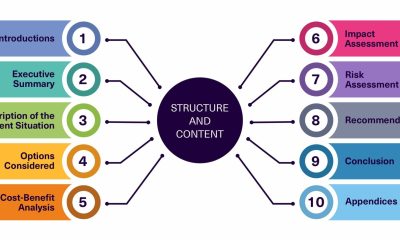
How to Turn a Completed Project Into a Useful Business Case Study
-
All4 days ago
WishKing App steps and methods for Canadian players
-
All4 days ago
MagicianBet login guide: Easy step‑by‑step for Canadian players
-
All4 days ago
LETS777 App Registration Steps – A Canadian Guide
-
All4 days ago
SpinKong app bonus guide: Canadian welcome offers and wagering breakdown
-
All4 days ago
Trek with Beck Dandenong Guide: A Private, Premium Adventure Experience